Chief Architect3D walkthrough
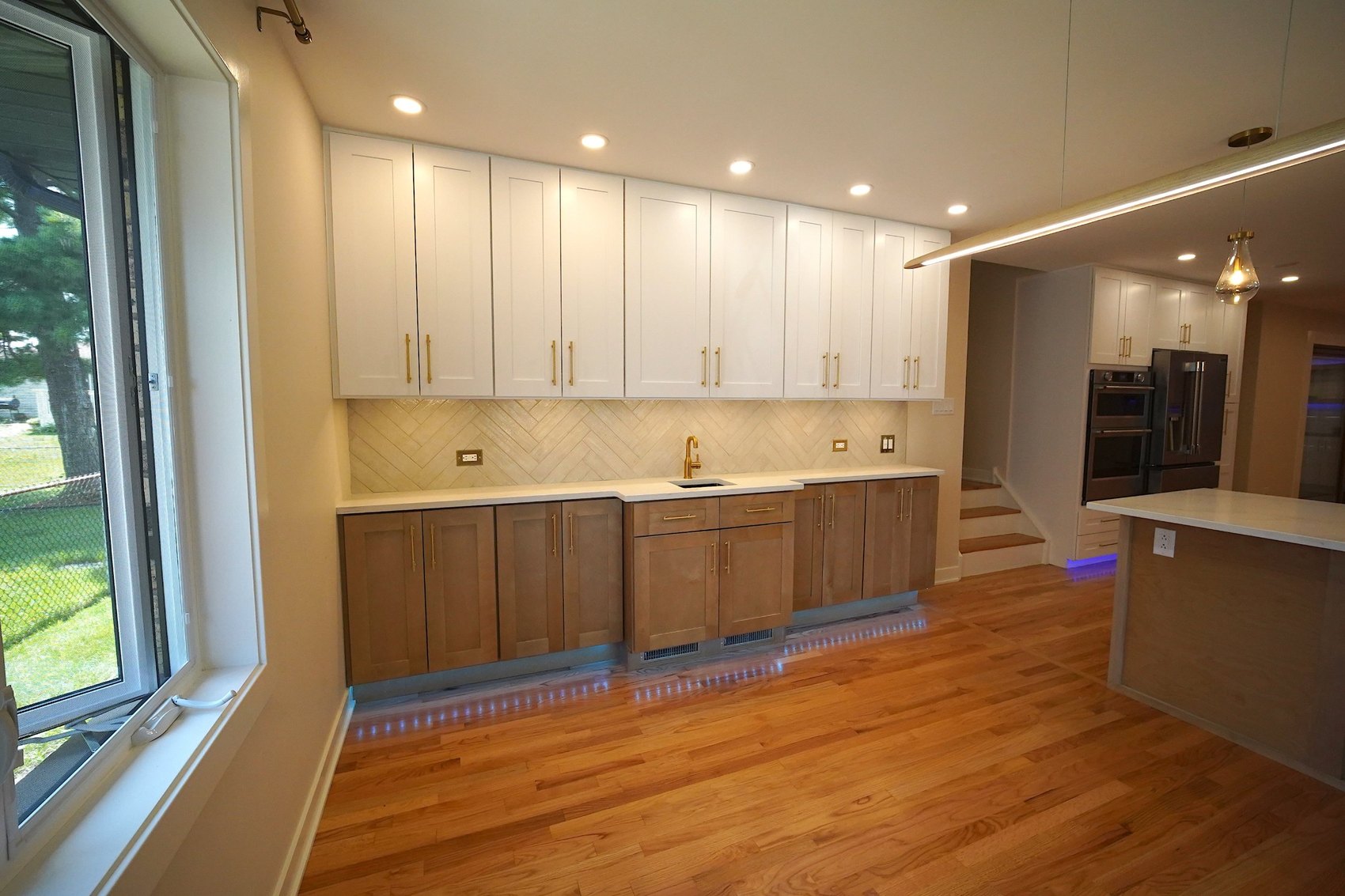
The finished kitchenSame view, built
Chief Architect · Blueprints · 3D renderings

3D Design

Walk it, see it, feel it before we build it.

A floor plan is hard to picture. You can’t feel how you’ll move through a room or how big it will really be.

We design it in 3D first, so you can see it, walk it, and change it before construction starts. We draw every wall in Chief Architect and render it with Claude AI, so you can see your finished kitchen, bathroom, or basement before we break ground.

You control every detail, and we connect you with our suppliers for a 38% company discount.

Planning first, building second.

Kitchen floor plan
Kitchen floor plan · click to enlarge
I
The blueprint

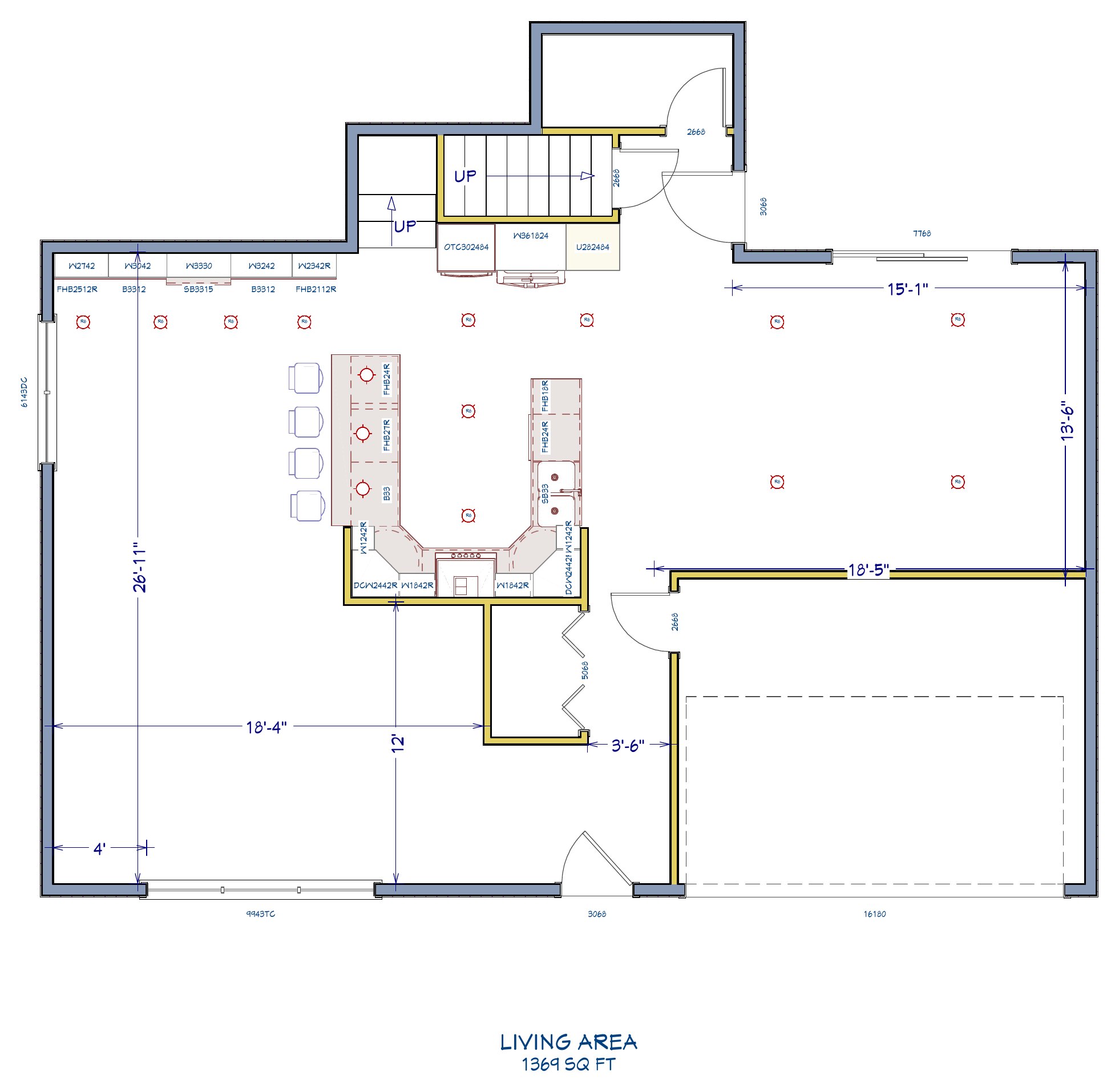
This is what a real blueprint looks like

Every project starts as a drawing. In Chief Architect we draw each wall, window, cabinet and light to scale, so the plan you see here is the plan we build from.

Look closely at the kitchen plan: every cabinet is labeled and sized, every recessed light has its spot, and the dimensions are marked so nothing is left to guesswork on site. Tap the thumbnails to flip through the floor plan, the cabinet and lighting layout and the dimension sheet.

Pro tipBring pictures of rooms you love. We’ll draw the ideas into your plan.
Kitchen 3D design
Finished kitchen
3D designFinished kitchen
Kitchen view 1 · drag to compare
II
3D renderings

See your kitchen before it exists

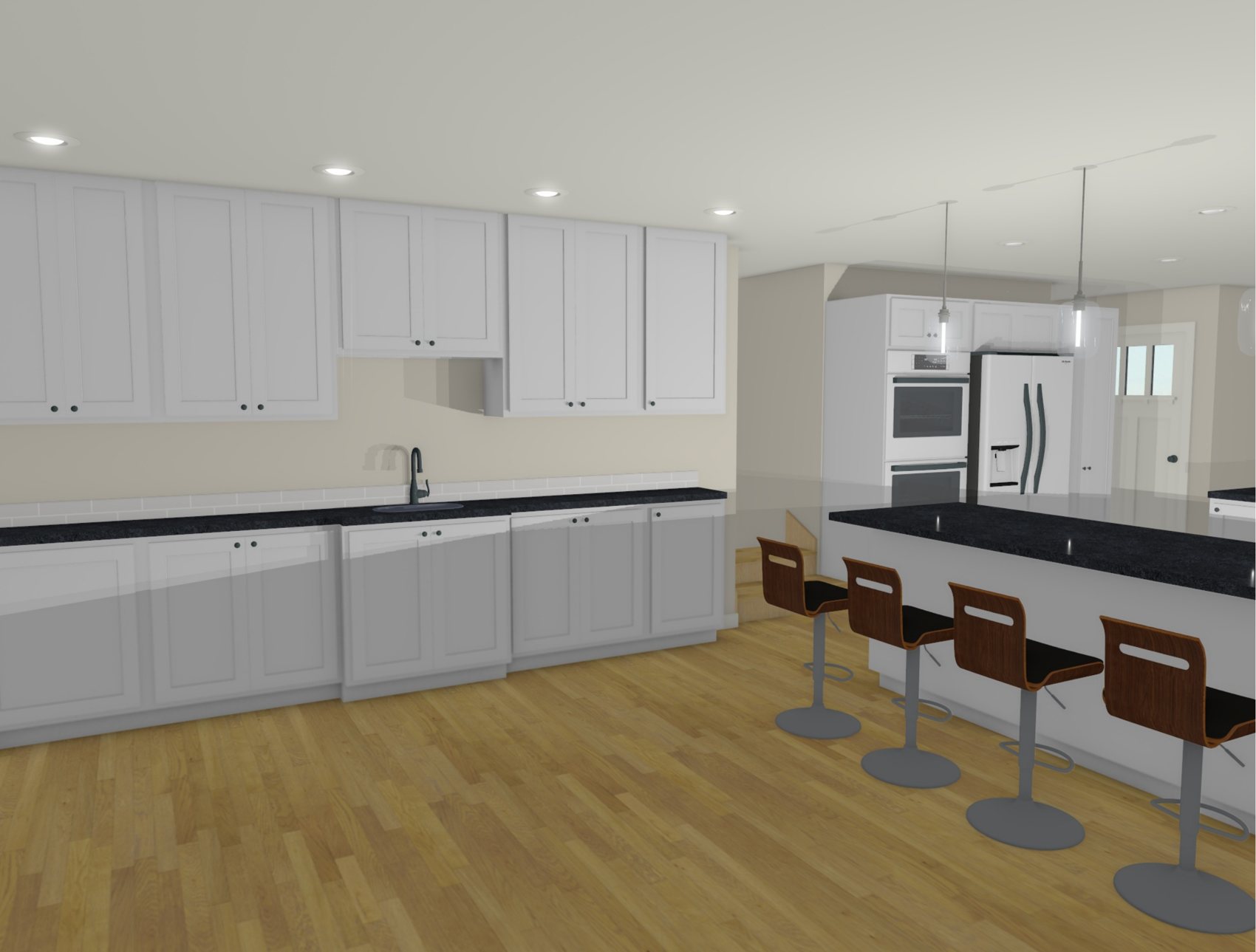
Once the plan is drawn, the same model becomes a 3D view you can stand inside. Cabinet colors, counters, flooring and lights are all in place, so you judge real proportions instead of imagining them.

Drag the slider to compare the 3D design with the finished kitchen built from it. Seven views of one kitchen: planned first, then built.

Pro tipCheck the views from where you’ll actually stand: the doorway, the sink, the island.
Walk-through video

Press play: the design, then the real thing

On the left, the 3D walkthrough we made in Chief Architect. On the right, the finished kitchen after construction. Same kitchen, drawn first, then built.

Chief Architect 3D design
Real video: finished kitchen
“A change on the screen is a click. A change after demolition is a change order.
Why it pays off

Confidence before the first demo day

I

Decide with confidence

Compare two countertops or cabinet finishes side by side in your actual room, instead of from a small sample.

II

Catch problems on screen

A narrow aisle or a window colliding with cabinets shows up in the design, not after the walls are open.

III

Change anything

Move an island, swap a finish, add a light. Changes happen in the model in minutes, and when you build with us, you get as many as you want.

IV

One shared picture

You, our crew and the suppliers all work from the same plan, so fewer things get lost in translation.

What you get

Your design package

  • Floor plan with dimensions
  • Cabinet and lighting layout
  • 3D renderings from multiple angles
  • 3D walkthrough video
  • Supplier connections at a 38% company discount
How it works

From tape measure to move‑in

  1. We measure your spaceEvery wall, window and opening, on site.
  2. We draw it in Chief ArchitectTo scale, with cabinets, lights and dimensions.
  3. You review it in 3DWalk through it, then change anything you like.
  4. You approve, we buildThe plan on screen becomes the room in your home.
Further reading

What builders and designers say about 3D

Design fee

A design you can see is worth it.

$1,000

Full 3D design service for your kitchen, bathroom, or basement, including Chief Architect drawings and renderings.

Free

If you sign a contract with us, the design fee is waived, with as many design changes as you want.

Get a free estimate

Design fee and terms may change. Ask us for current details when you request an estimate.